Your next ride. Your way.
From the daily commute to the plans you have been looking forward to, KiloDrive puts your journey in your hands. Set your route, compare driver offers and choose what works for you.
Enter your pickup in the app to check service availability. A country listing does not guarantee a nearby provider. Product demonstration from Jamaica. Screens show example routes and fares, not live availability or a price quote.
Getting started, made simple.
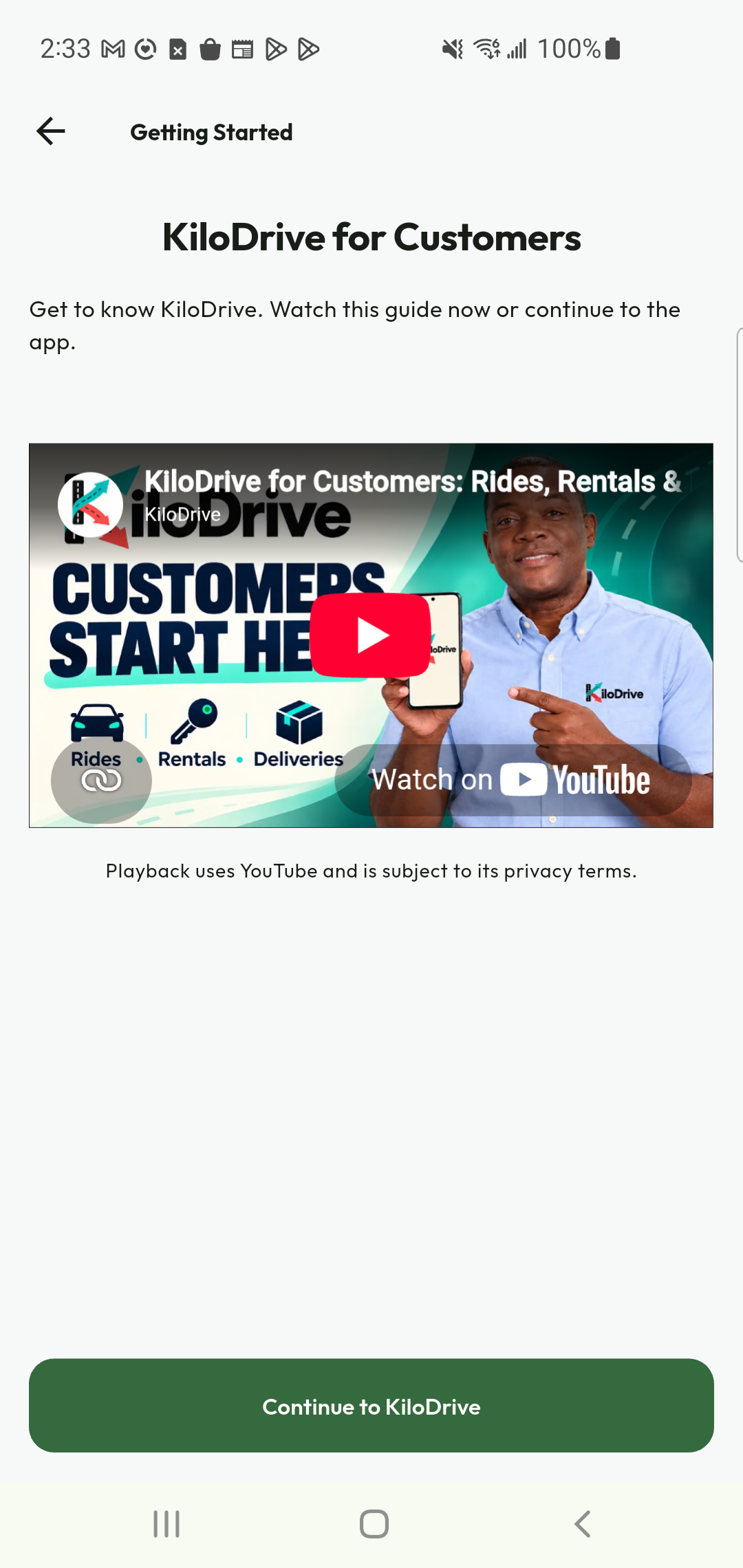
Watch our step-by-step guide to registration, onboarding and the tools available in your account.
Watch on this pageFrom pickup to your next destination.
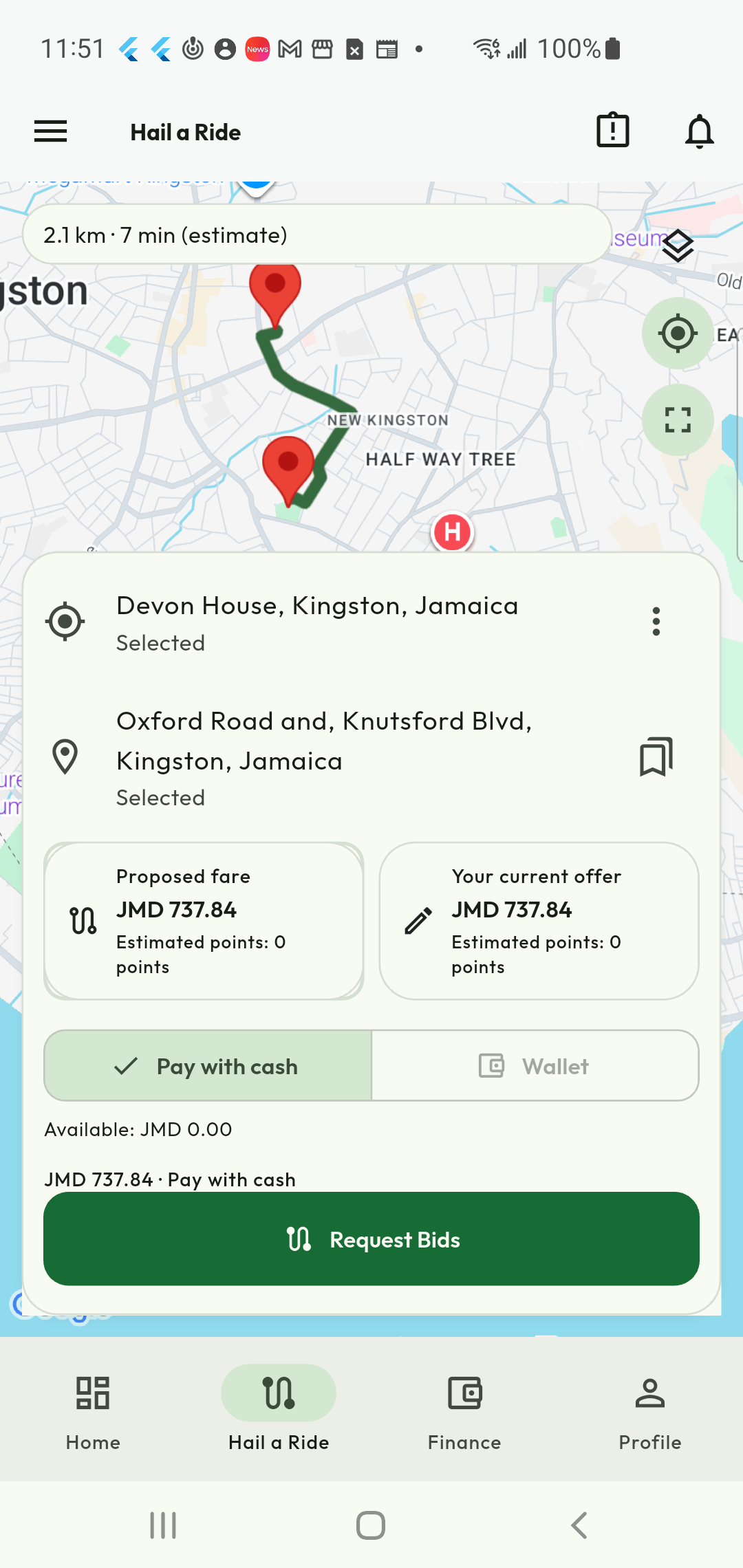
Set your journey
Choose your pickup and destination, review the proposed fare and request bids.
Choose your driver
Compare the available offers. Check the driver and vehicle details before boarding.
Ride, pay and review
Follow the journey, complete payment and share your experience. Eligible completed trips can earn loyalty points.
Explore 10 features
Actual app demonstration. Private demo details are redacted where needed; example prices and records are not live offers.
Your route. Your next move.
From the daily commute to a weekend outing, start with the journey you actually need. Choose your pickup and destination, see the route and estimated travel time, and review the proposed fare before requesting bids. Keep the key choices together so you can move from planning to finding a driver with confidence.
- Choose pickup and destination.
- Review the route, distance and estimate.
- Request bids when the details are right.
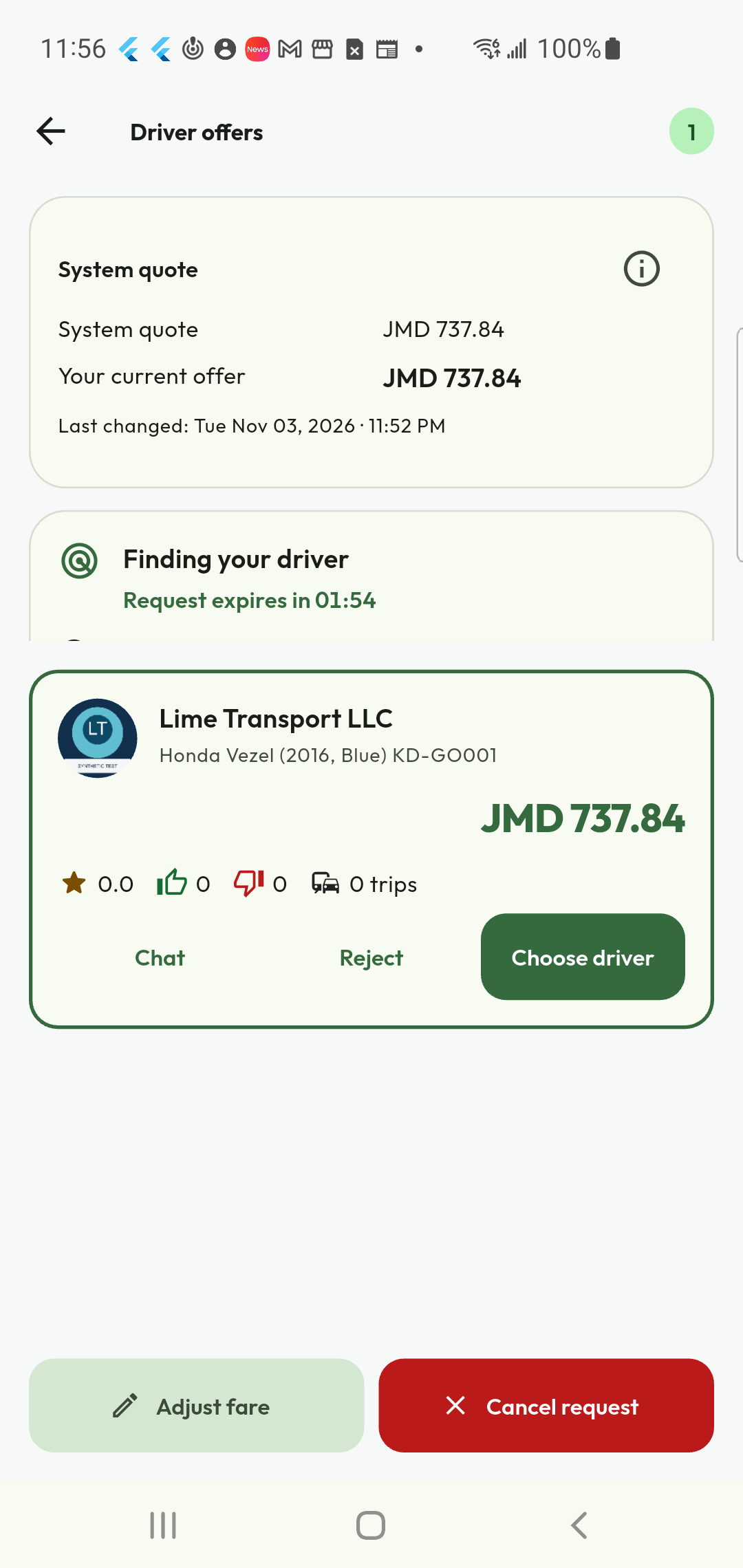
Choose the offer that works for you
See the available driver offers before deciding. Compare the fare, vehicle information and displayed feedback, then choose a driver or continue considering your options. The offer screen also keeps chat and request controls close at hand. Before boarding, match the arriving driver and vehicle with the details in your app.
- Compare available fares and vehicle details.
- Ask a question through the available chat action.
- Choose your driver and check the vehicle before boarding.
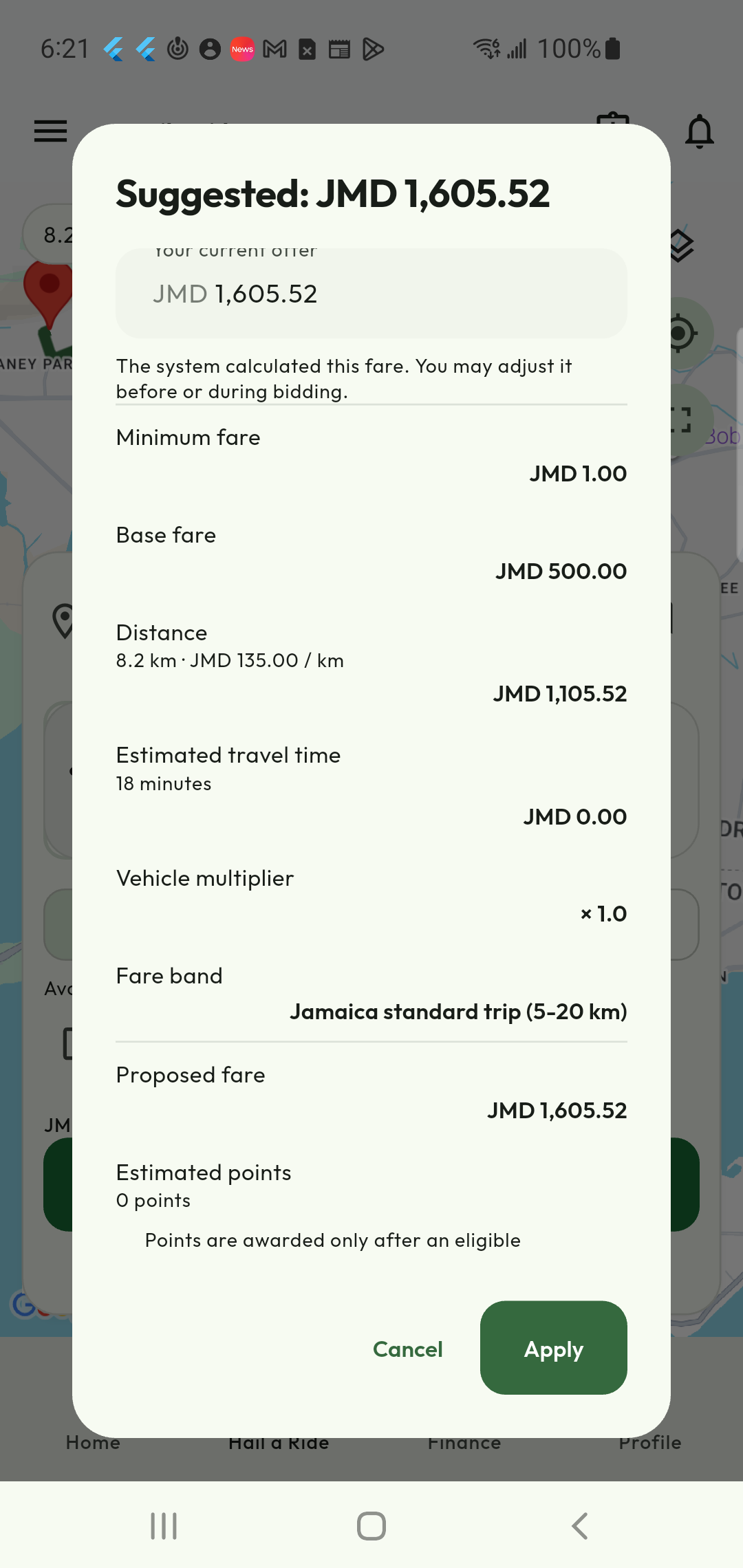
Know what goes into your fare
Open the proposed-fare breakdown to understand the estimate instead of guessing what the total represents. Review the displayed components, distance, estimated travel time and estimated loyalty points. Your proposed offer and the amount finally agreed are distinct; check the current details before confirming, because routes and choices can change the calculation.
- Inspect the fare components.
- Review estimated points where eligible.
- Check the agreed amount before the journey.
Keep your wallet and payments in view
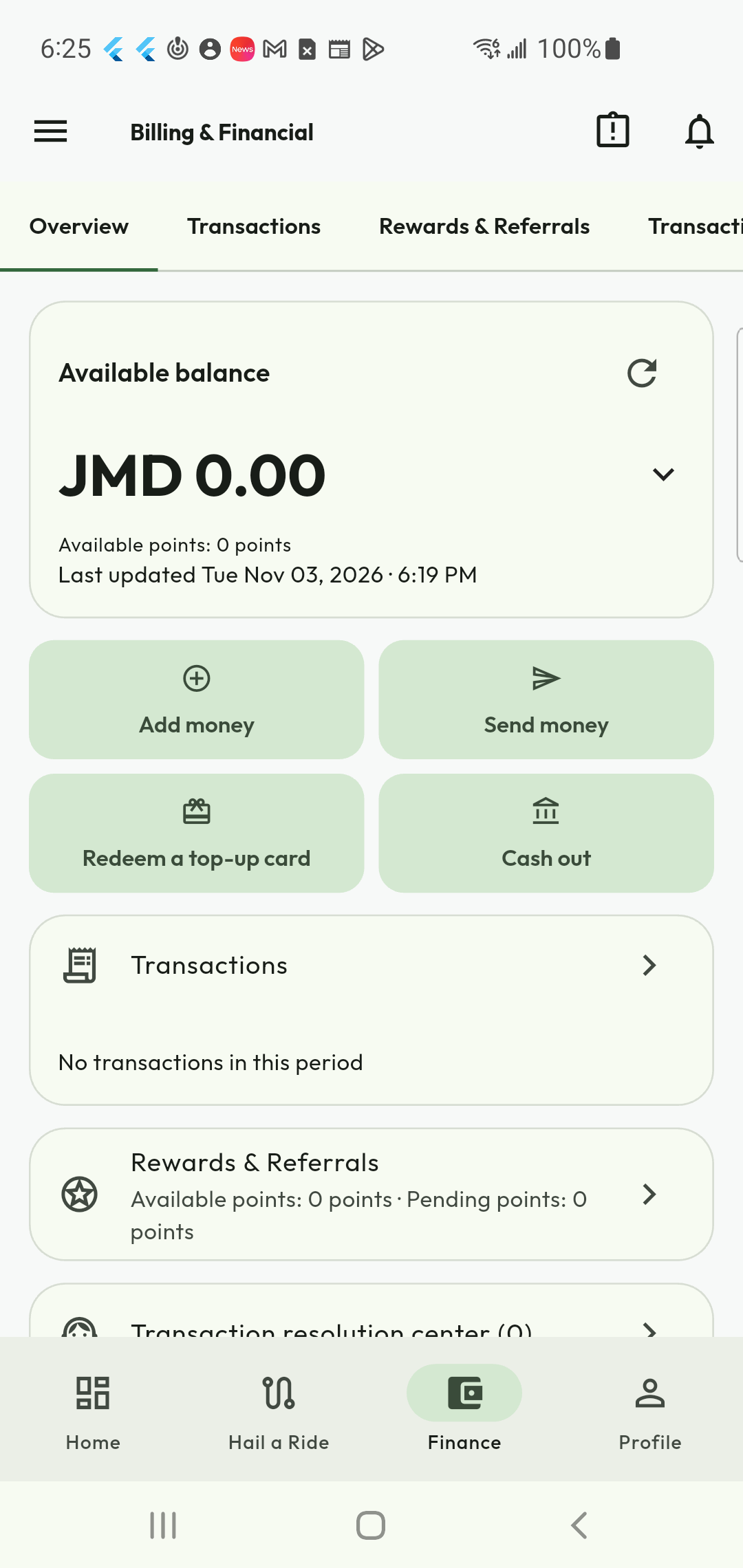
Billing & Financial puts your available balance, transactions and rewards together. Add money through the methods offered for your account and country, and choose wallet payment when it is available for your request. Cash remains an option where shown. Check the selected method and sufficient balance before confirming a cashless journey.
- See your available wallet balance.
- Review transactions and payment records.
- Choose an available payment method for the request.
Make eligible journeys more rewarding
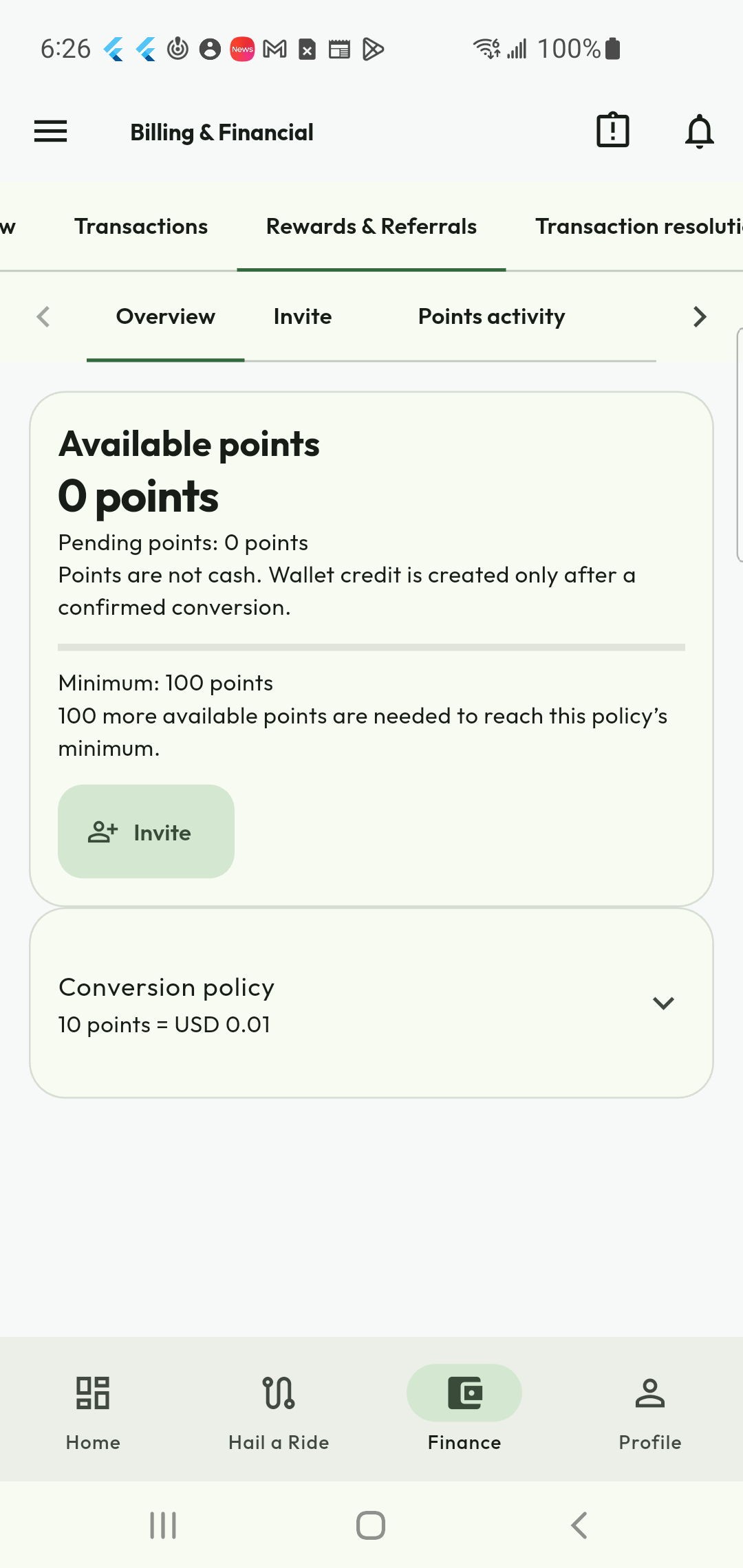
Find your loyalty balance and referral tools in Rewards & Referrals. Eligible completed activity can earn points under the current programme, and qualifying referrals can add more. Check the difference between pending and available points and read the conversion rules before redeeming: points are not cash until an eligible conversion is completed.
- Follow available and pending points.
- Share referrals under the programme rules.
- Review eligibility and conversion thresholds in the app.
Keep control of your sign-in options
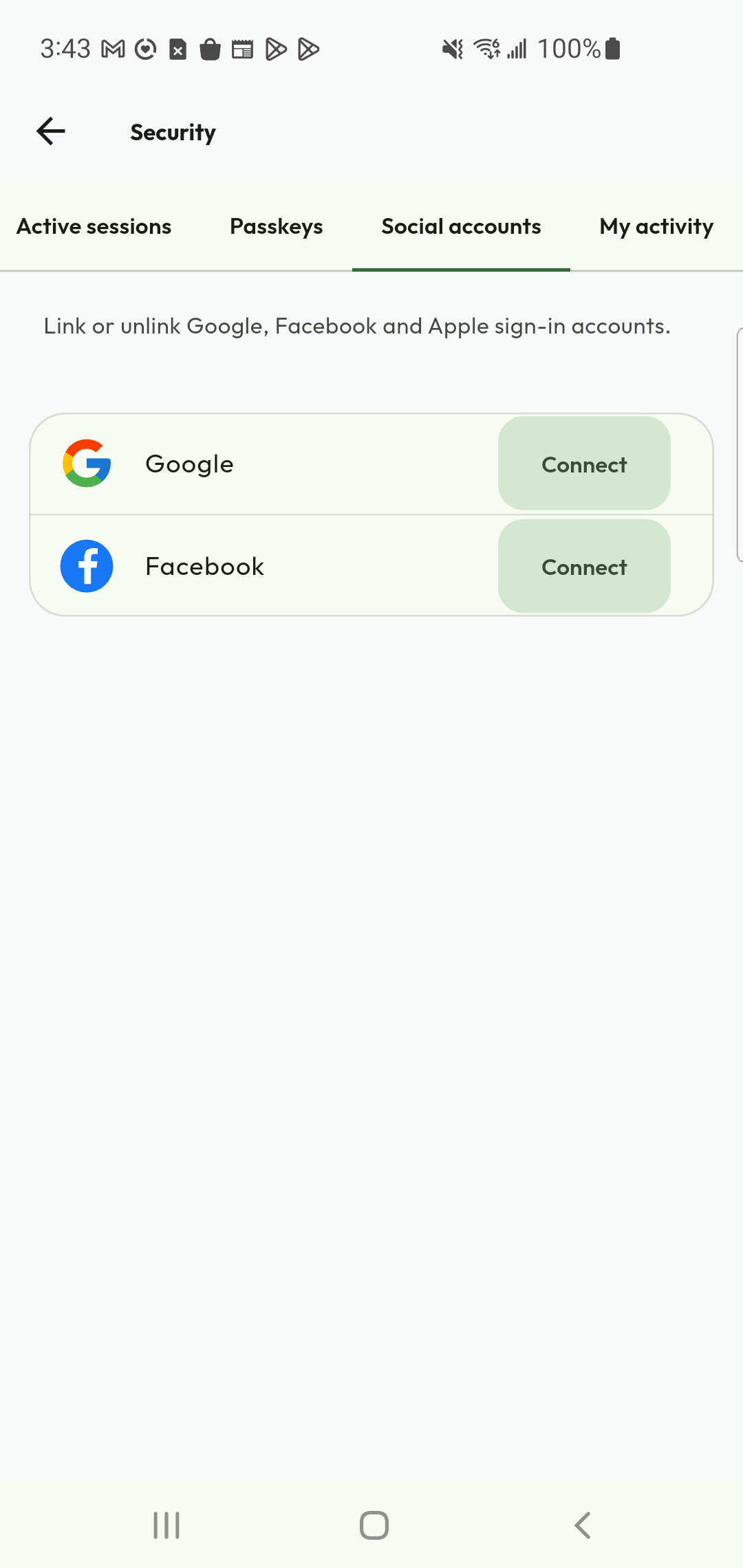
Security brings linked social accounts alongside session and passkey controls. Review the sign-in options available on your device and connect or disconnect an account through the supported steps. A linked account is another way to access your KiloDrive account, so use an identity you control and keep a working sign-in method available.
- Review linked social accounts.
- Check active sessions and supported passkeys.
- Use the security flow when changing account access.
Your data, with clearer choices
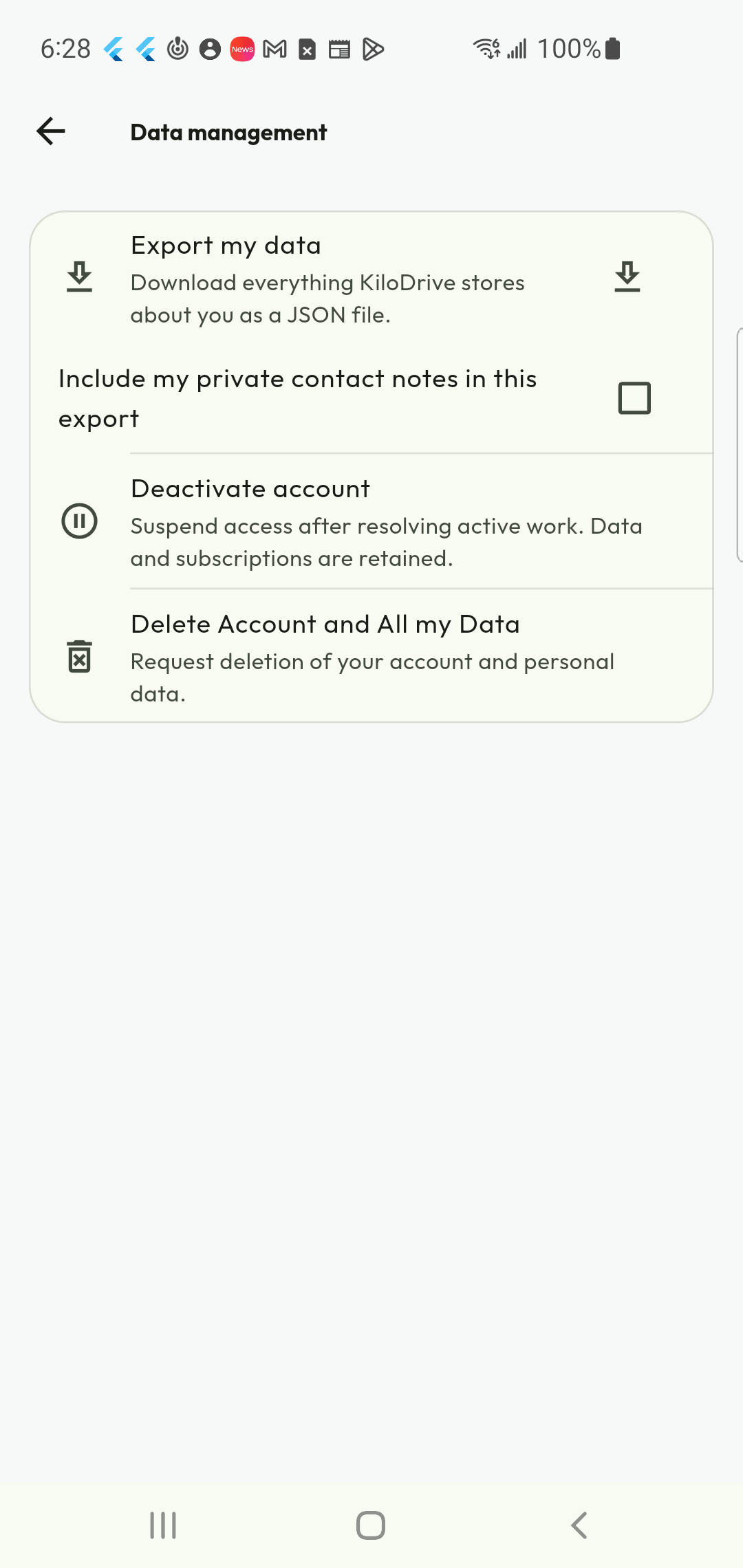
My Data brings export, deactivation and deletion controls together. Export the information available to your account, pause access through deactivation, or request deletion of your account and personal data. Read the confirmation carefully: open work, financial obligations and applicable retention requirements can affect what must be resolved before the process finishes.
- Export your account information.
- Understand deactivation before confirming.
- Request deletion and follow its status and requirements.
Get started with a guide beside you
The customer getting-started guide introduces the app after registration so your first journey feels less unfamiliar. Watch the walkthrough, continue into KiloDrive when ready and use the help resources when you need a reminder. The End User Manual gives you a written reference for the services and account tools available to customers.
- Watch the customer introduction.
- Continue into the app at your own pace.
- Use Help & Support and the End User Manual.
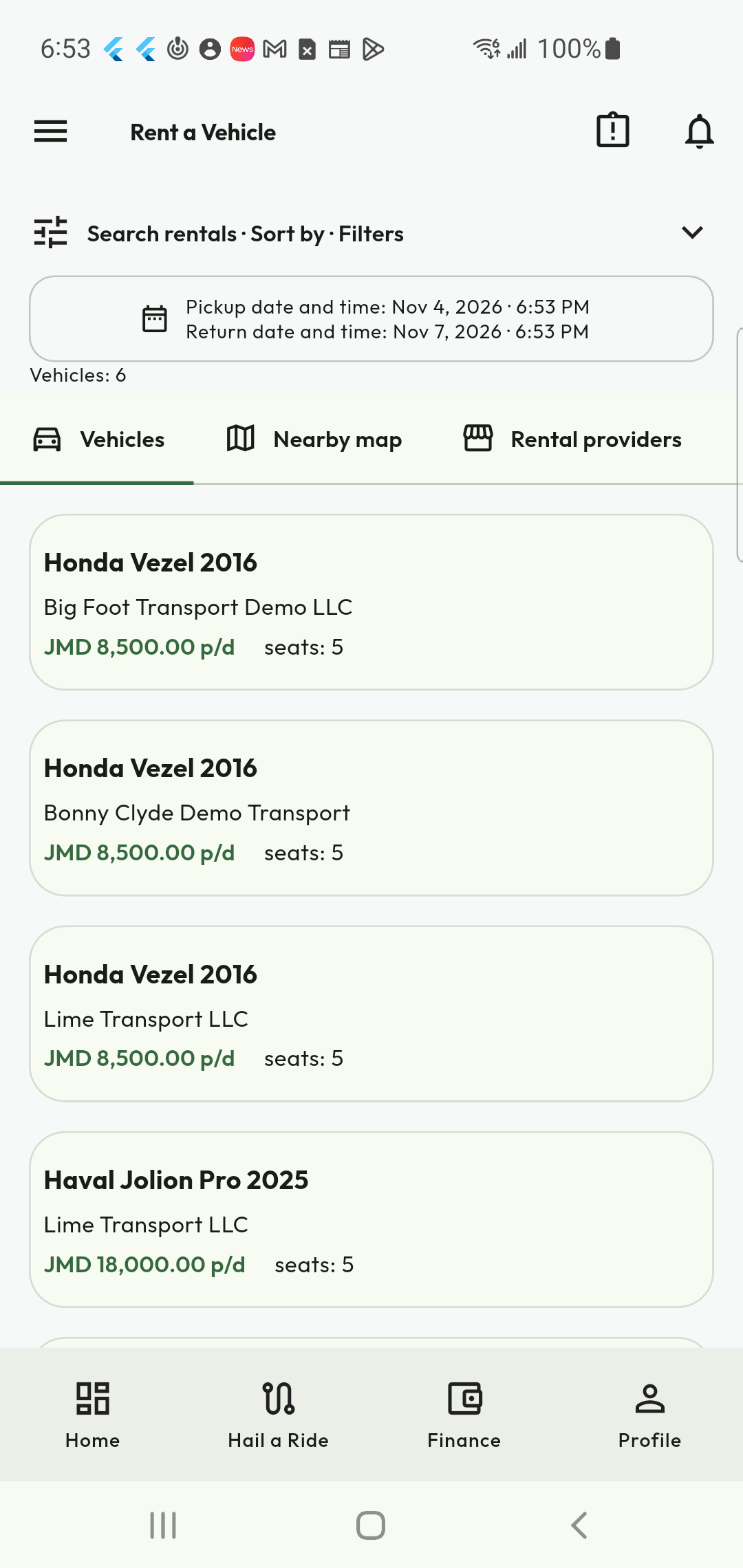
Need a vehicle for longer? Explore rentals.
A single journey is not always enough. Browse Vehicle Rental from the same customer account, compare agencies and daily rates, and open a vehicle for its photos, dates, quote and requirements. Rental eligibility is separate from ordinary account access: you may need an approved driving licence and to meet the selected agency’s conditions.
- Compare vehicle listings and daily rates.
- Review availability and rental requirements.
- Follow the booking, collection and return process.
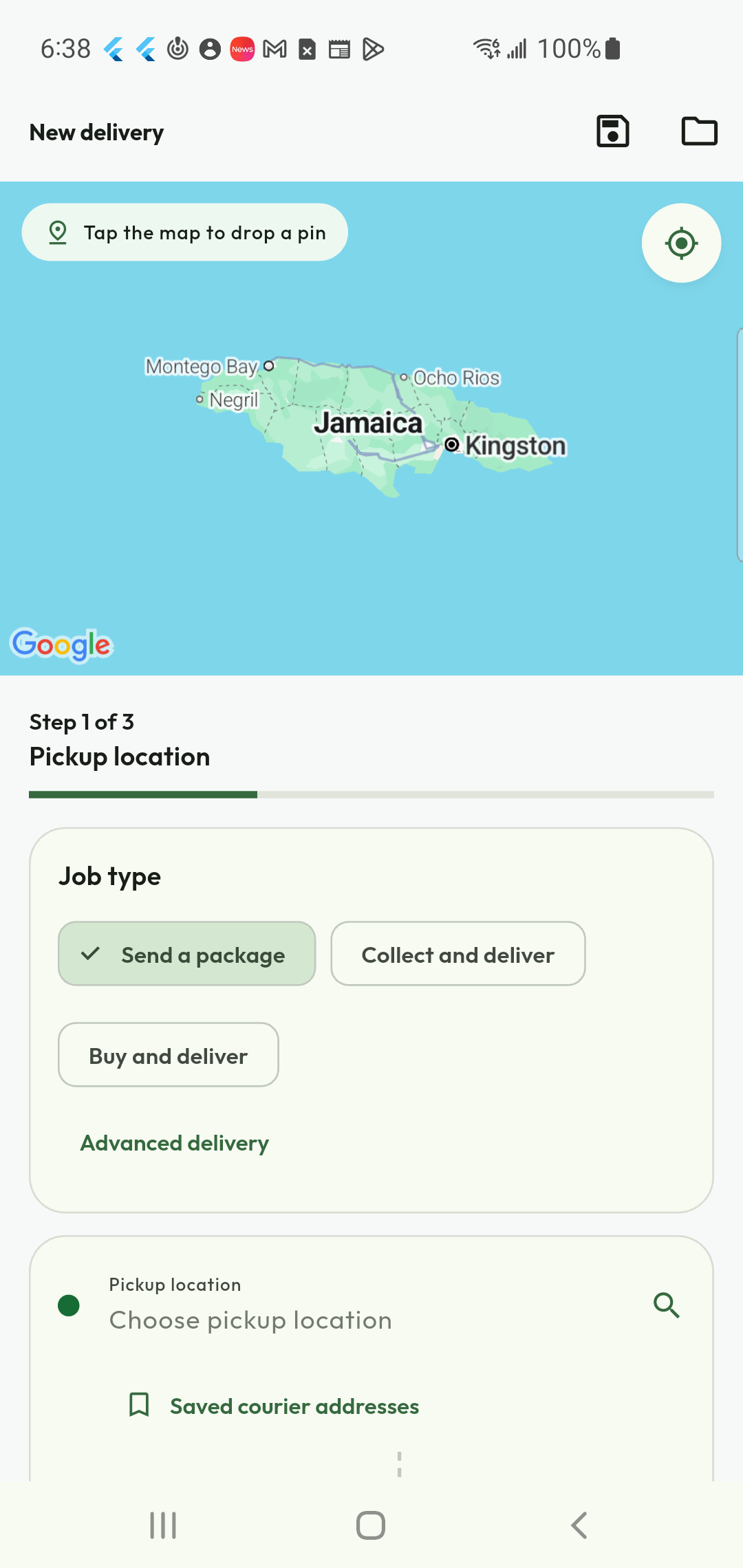
Send a package without travelling yourself
Use Shipping & Delivery when it is a parcel or an errand that needs to move. Choose send, collect-and-deliver or an eligible purchase-and-deliver job, add the locations and instructions, then review the budget. The courier performs the journey; you follow the request through its job record rather than joining a passenger trip.
- Choose the delivery job type.
- Add package details, photos and useful instructions.
- Review the budget and follow the delivery status.
Make your next move with KiloDrive.
Get the app, choose Customer and set up your first ride. Driver and service availability vary by location.