For drivers
See the work, make the decision, and keep a professional record.
KiloDrive brings readiness checks, route and fare context, driver choice, vehicle compliance, trip states, wallet activity, and reporting into one driver workflow. Eligibility and available tools follow the driver, vehicle, country, and active membership rules.
Built for deliberate work
Four parts of a clearer driver workflow
Membership provides access and limits; it does not guarantee requests, accepted work, earnings, or payout timing.
Know your readiness
Profile approval, phone verification, licence and profile evidence, a registered vehicle, current registration and insurance, and vehicle fitness or roadworthiness evidence where the country requires it all feed one eligibility path.
Review before responding
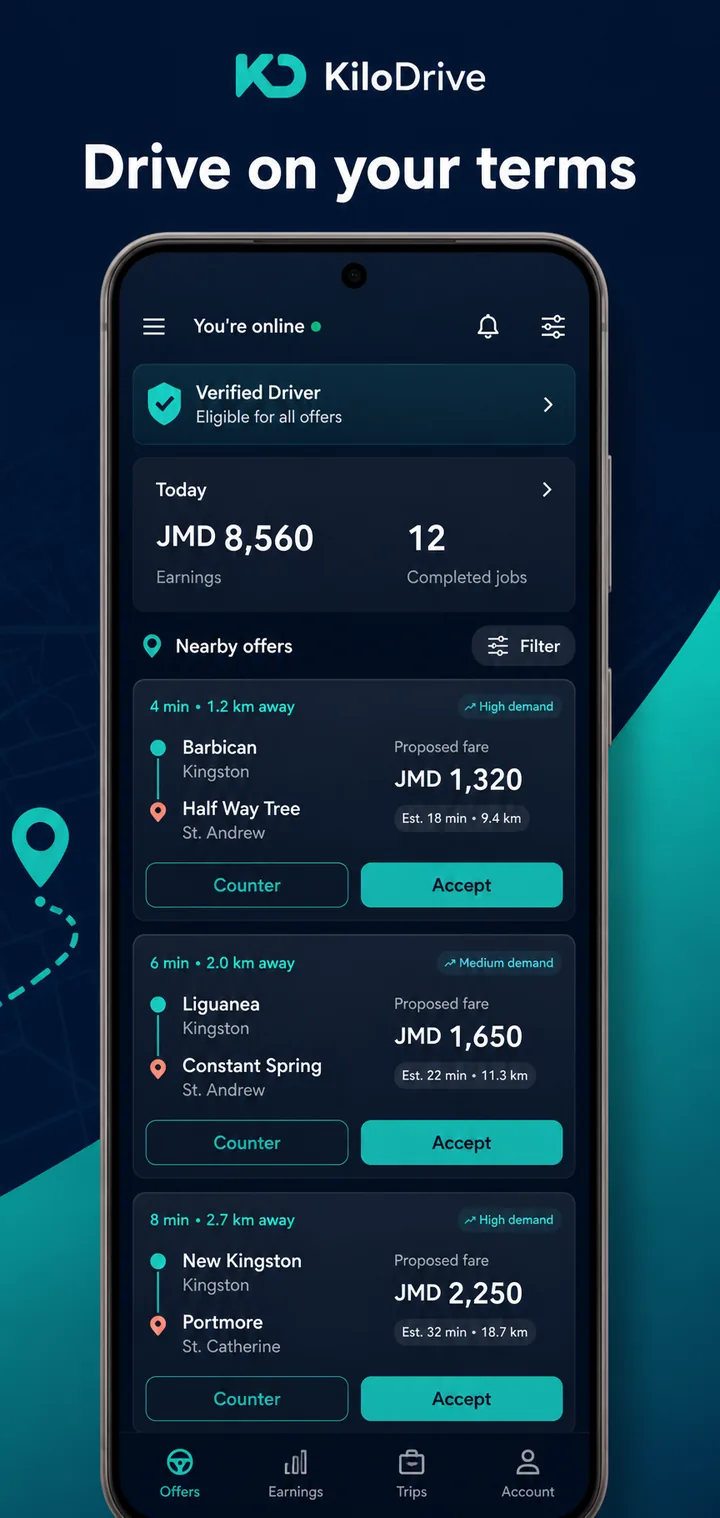
Available offers can show route, distance, timing, stops, proposed fare, request type, payment method, and expiry before you accept or counter.
Shape your availability
Online status and supported preferences such as service area, destination mode, scheduled availability, and hourly service help define suitable work.
Run the records
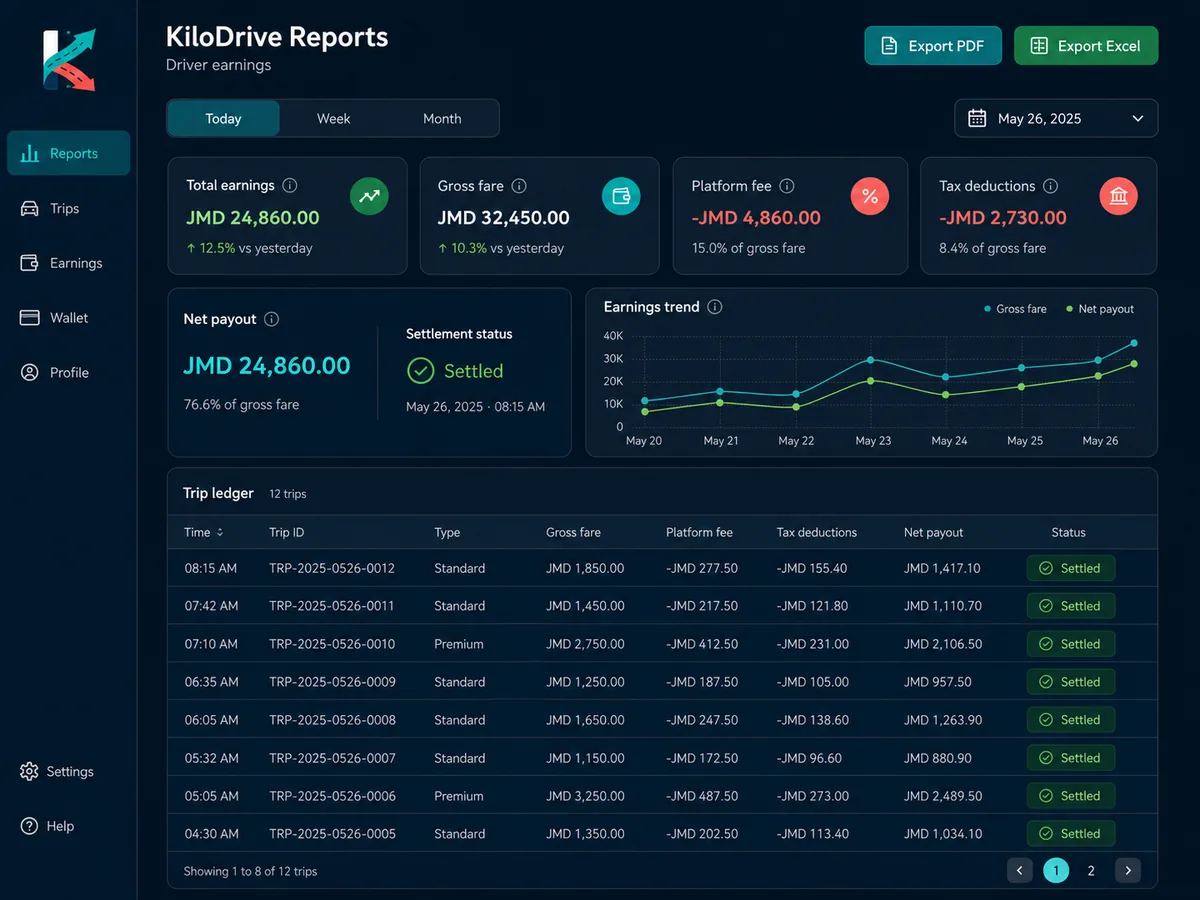
Trip history, wallet entries, expenses, mileage, membership use, earnings views, and downloadable reports support review and reconciliation.
The driver workspace
Readiness, offers, and reporting without losing the trip context
The driver experience connects what is required to work, what an offer contains, and what the completed activity records.
From onboarding to completion
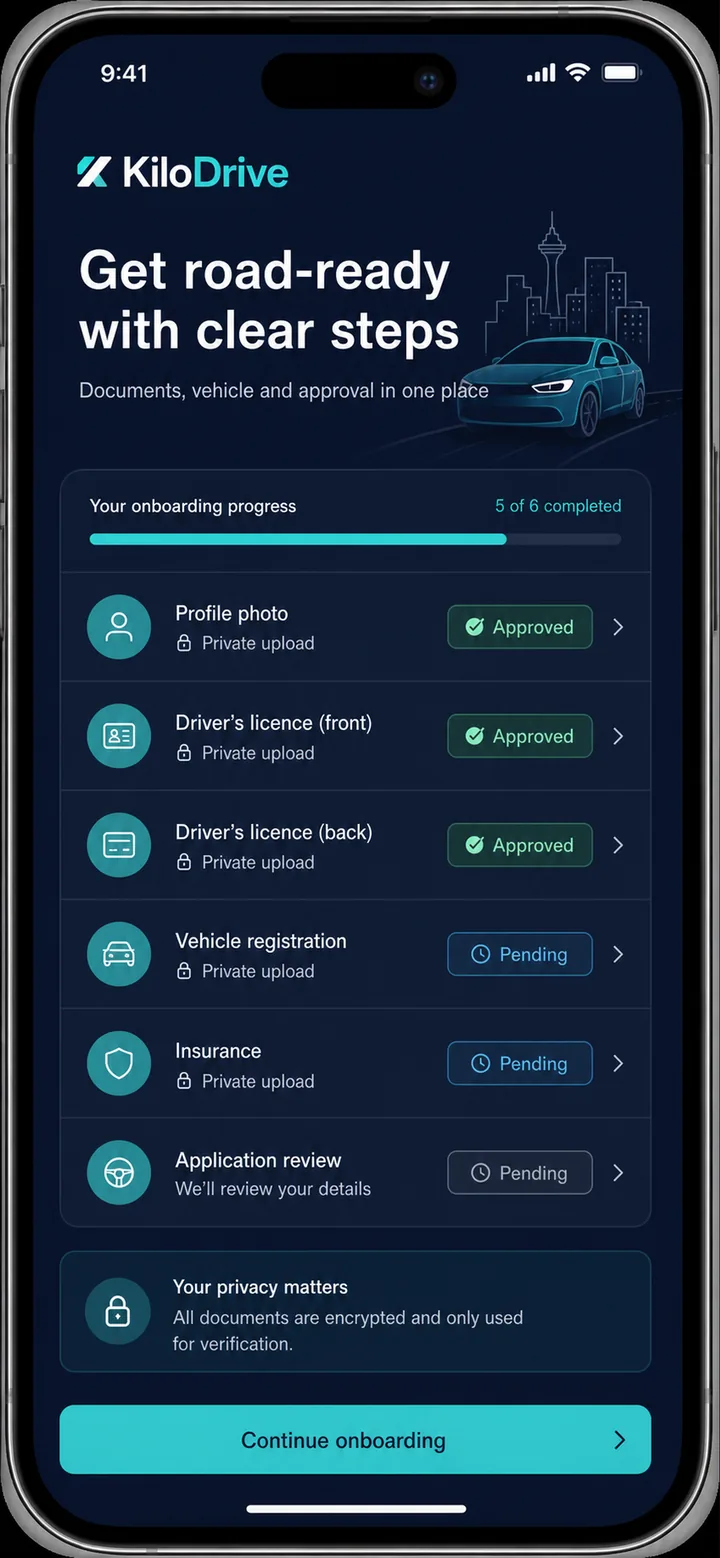
Readiness is checked before the marketplace opens
The onboarding view explains the outstanding profile, contact, document, vehicle, and membership requirements. Approval can change when evidence is rejected, expires, or a vehicle is no longer eligible.
Once eligible and online, you decide whether an available request fits. KiloDrive validates the driver and vehicle again before assignment and keeps arrived, start, complete, and cancellation events tied to the trip.
Build the driver profile
Confirm contact details and provide the required profile and driver evidence.
Register the working vehicle
Add the vehicle and keep its registration, insurance, and country-required fitness or roadworthiness evidence current.
Meet active access rules
Resolve approval and membership requirements shown for the account.
Review and respond
Go online when available, read the request, and accept or counter only when it suits you.
Record the trip accurately
Use the correct trip states, complete payment handling, and review the resulting ledger and report data.
Professional resources
Keep eligibility, safety, and money questions easy to find
- Driver membershipsCompare the live plan terms, limits, duration, and renewal information before choosing.
- Driver safetyReview location use, trip communication, duty expectations, RideCheck, and incident reporting.
- Driver earnings calculatorExplore gross receipts, estimated operating costs, and net activity scenarios without treating the result as guaranteed income.
- Driver supportUse a linked trip, document, membership, wallet, or vehicle record when requesting help.
Driver questions
What to know before going online
What must I complete before I can drive?
The active onboarding checklist is authoritative. It can require an approved driver profile, verified phone, profile photo, driver licence, a registered vehicle, current vehicle registration and insurance, vehicle fitness or roadworthiness evidence where required by the country, and an eligible membership state.
Do I have to accept every request?
No. When you are eligible and online, review the available request details and decide whether to accept, counter, or let it pass. Availability and membership rules can still limit which requests you see or respond to.
Can I propose a different fare?
Where the offer flow permits it, you can send a counteroffer. The rider reviews eligible responses and chooses, and KiloDrive validates the selected response again before assignment.
Does a membership guarantee trips or earnings?
No. Membership controls access, capacity, or tools according to the live plan. Demand, rider selection, eligibility, operating costs, payment outcomes, and local conditions remain separate.
What happens when a document expires?
Expiry or rejection can return a document or vehicle to a non-approved state and prevent online work until the required evidence is reviewed. Use the onboarding and vehicle views to see the current status.
How do wallet activity and cashouts work?
Payment records depend on the trip method and local configuration. Available balance, held funds, commission or debt entries, payout methods, limits, fraud checks, and administrator review can affect whether and when a cashout proceeds.
Drive with context
Build readiness before you choose the work.
Get KiloDrive to review the driver onboarding and marketplace available in your country.