For riders
Plan the journey, compare the response, and stay informed.
KiloDrive gives riders a structured way to describe a trip and review eligible driver responses before choosing. The route, timing, agreed fare, driver, vehicle, payment choice, and trip record stay connected from request to review.
Useful at every stage
Four ways KiloDrive makes the ride easier to understand
Available services and payment methods follow the selected country, account eligibility, and configured providers.
Describe the trip clearly
Add pickup, destination, timing, stops, service needs, and payment preference. Immediate, scheduled, recurring, round-trip, and hourly options appear only when available.
Compare before choosing
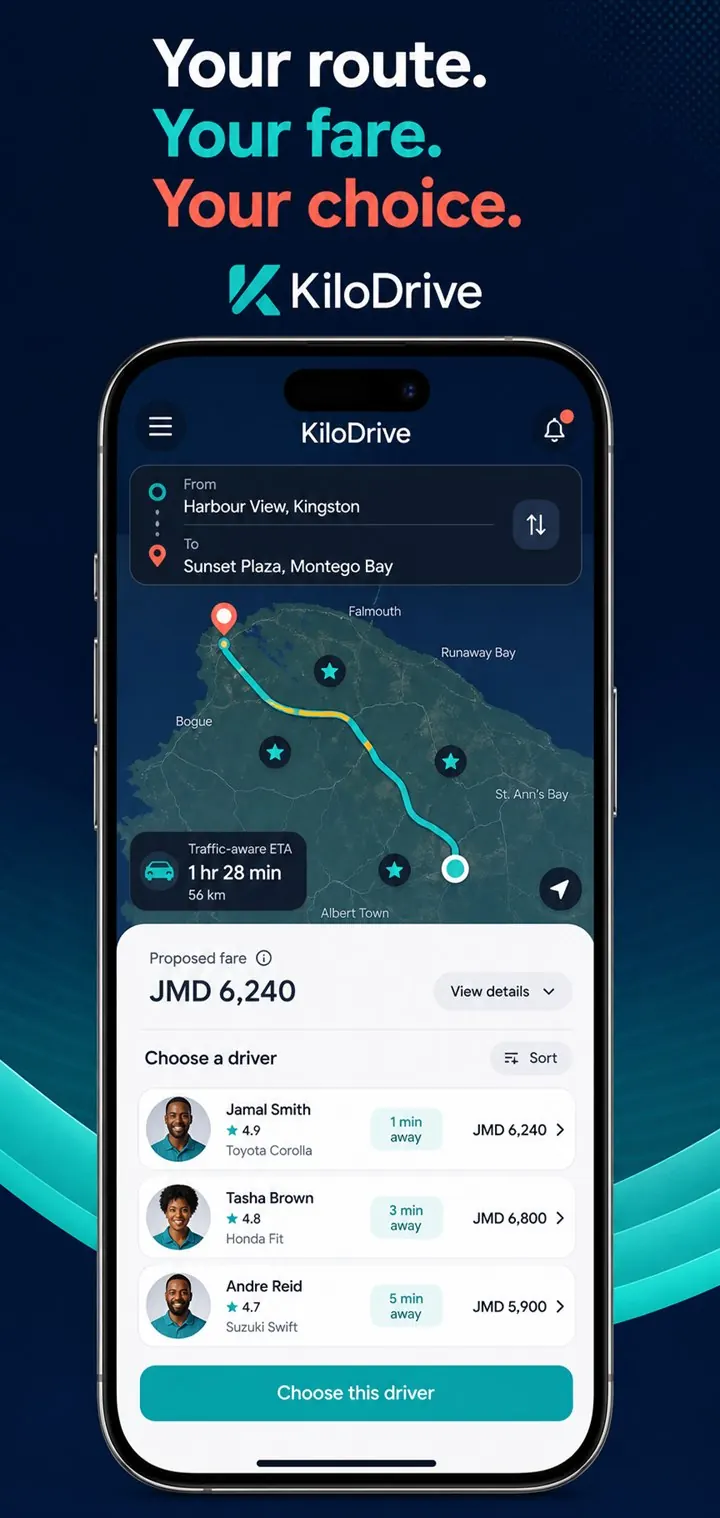
Propose a fare and review eligible responses with the available driver, vehicle, rating, arrival, and price context instead of accepting an unexplained assignment.
Follow the active trip
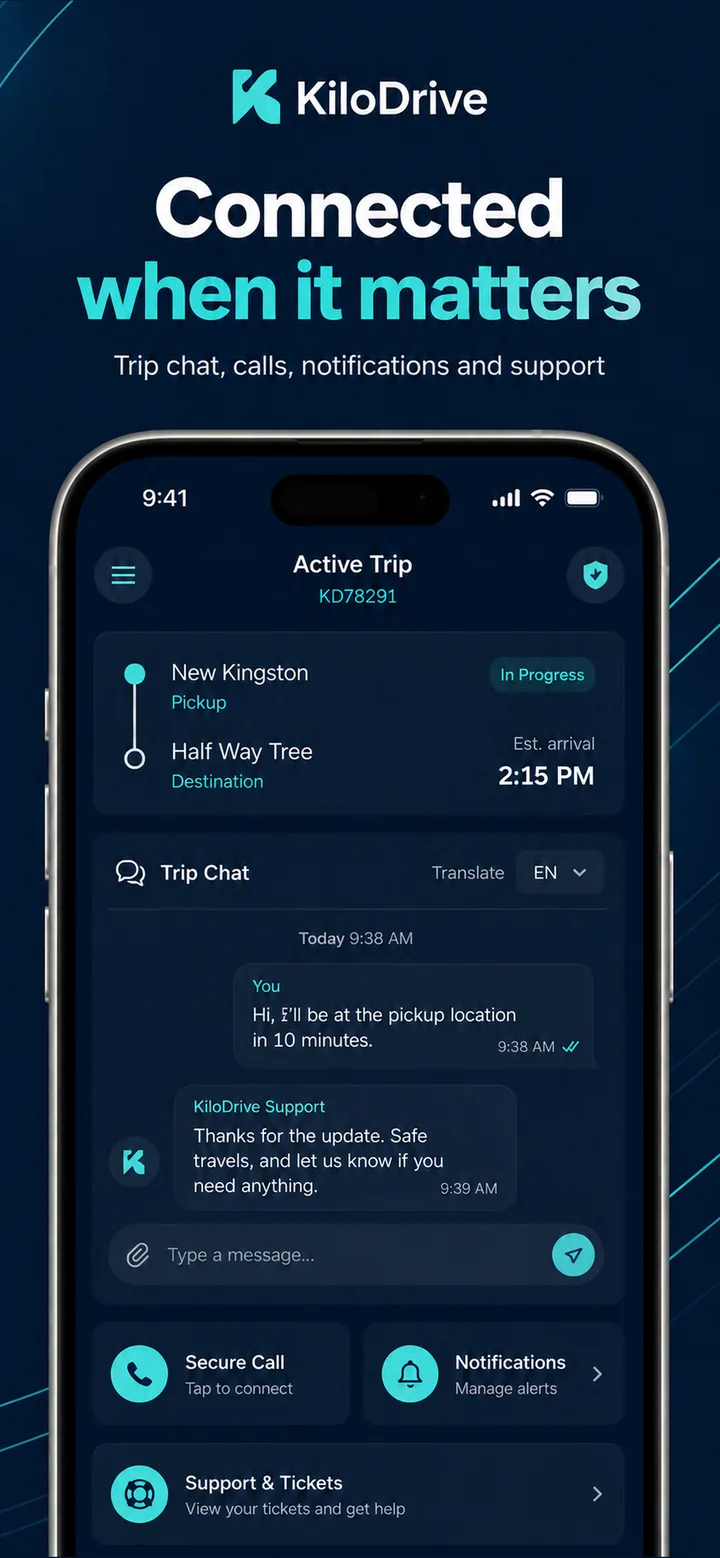
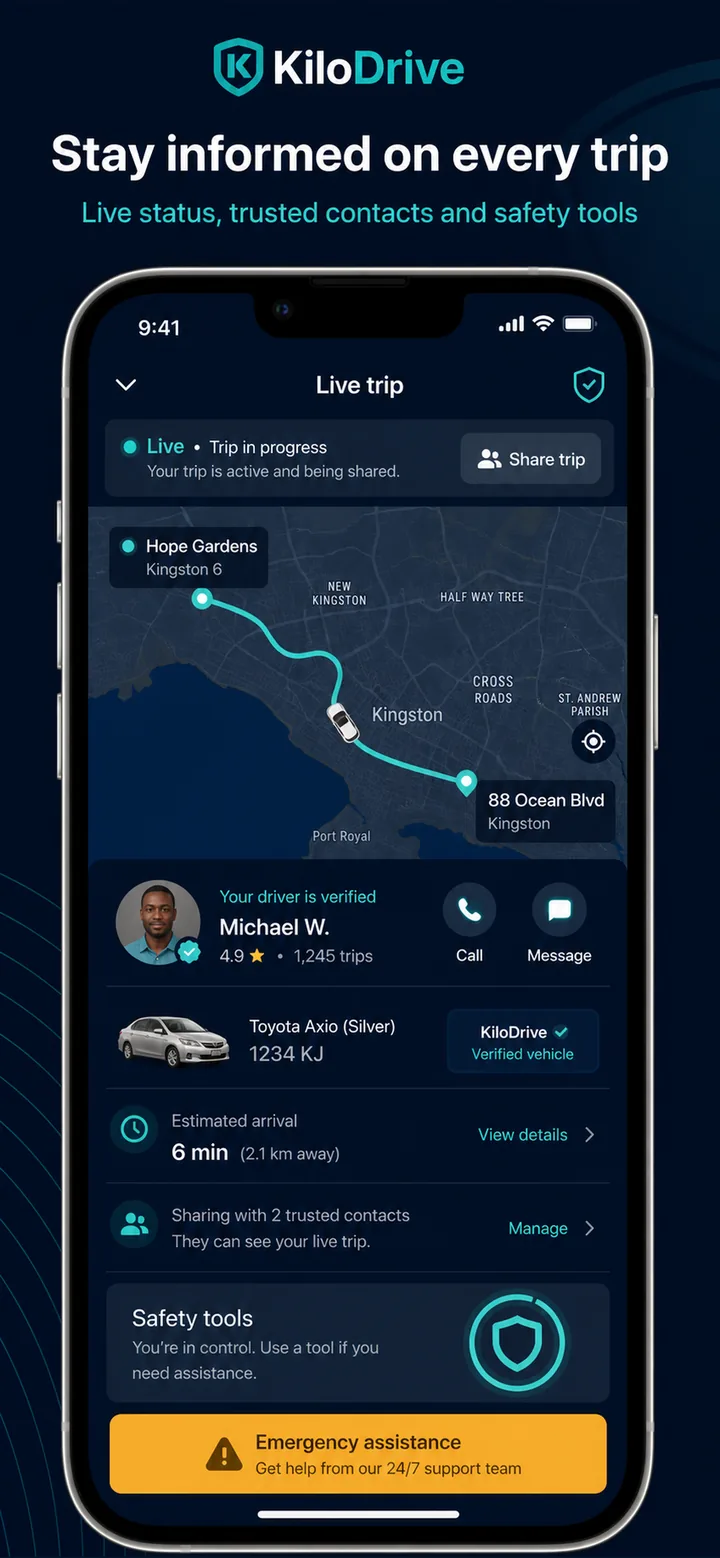
Arrival and trip states, in-app communication, trip sharing, and available safety prompts help keep the journey visible while it is in progress.
Keep the record together
The accepted offer, payment activity, trip timeline, receipt, rating, and linked support path remain associated with the relevant journey.
The journey in view
Decisions, money, and support in the same rider experience
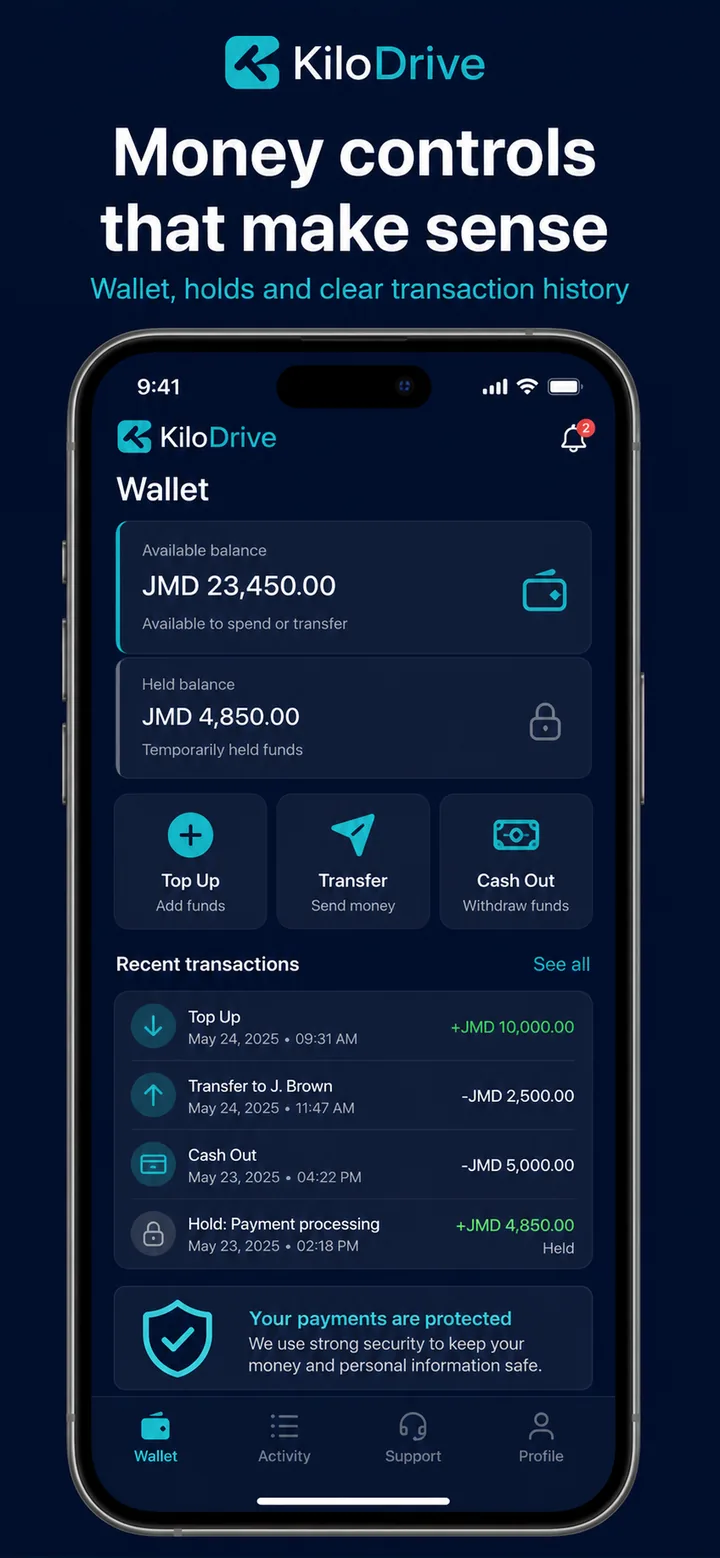
These product views illustrate how offer comparison, supported wallet activity, and trip help can remain connected without hiding the status that matters.
From request to review
A ride flow built around an informed agreement
KiloDrive keeps each decision attached to one ride request. A driver response does not complete the match until the rider chooses and the platform confirms that the response is still eligible.
Before entering the vehicle, compare the driver, vehicle, and plate shown in the app. During the trip, use the active record for communication and available safety tools.
Set the journey
Enter the route, timing, stops, service options, and payment preference.
Review the context
Consider available route information and fare guidance, then submit the request.
Choose a response
Compare eligible acceptances or counteroffers and select the one that fits.
Verify and ride
Confirm the arriving vehicle, follow trip status, and use communication or safety tools as needed.
Close the loop
Review payment and receipt details, leave relevant feedback, or open linked support.
Ride with context
Know where to look before, during, and after a trip
- Safety approachLearn about verification, trip sharing, RideCheck, communication, and reporting.
- Service guideReview ride types, wallet tools, support, rentals, parcels, and country-dependent availability.
- Rent-versus-ride calculatorCompare estimated ownership, rental, and ride costs with assumptions you can review and change.
- Contact KiloDriveUse the relevant in-app record for service issues or contact the team for general questions.
Rider questions
What to know before requesting
How is the ride fare decided?
When mapping and marketplace information is available, KiloDrive can show route context and a suggested range. You can propose an amount, and eligible drivers can accept or counter. Review the agreed amount and any displayed adjustments before confirming.
Does KiloDrive assign a driver automatically?
The standard offer flow lets you compare eligible responses and choose. A response can expire or become unavailable if the driver no longer meets the assignment checks, so the platform validates it again when you select it.
Can I request a ride for later?
Scheduled and recurring ride options are available where enabled. The app validates the permitted scheduling window and opens driver discovery at the appropriate time rather than treating every future ride as an immediate request.
Which payment methods can I use?
Cash, wallet, top-up, voucher, or provider-backed options depend on country configuration, account eligibility, and provider availability. The active request shows the options you can use and the selected method.
What should I do if I feel unsafe?
Confirm the driver, vehicle, and plate before entering. Use available trip sharing, communication, RideCheck, and safety-reporting tools during the journey. If anyone is in immediate danger, contact local emergency authorities first; KiloDrive is not an emergency service.
How do I report a trip or payment problem?
Open support from the relevant trip or transaction when possible. That gives the support team the connected route, status, payment, and audit context without asking you to recreate the journey from memory.
Ready to move?
Request with more useful information in view.
Get KiloDrive to explore the rider experience available in your country.