For renters and rental providers
Turn a vehicle booking into a visible, documented lifecycle.
KiloDrive connects vehicle discovery with listing terms, availability, booking state, inspections, agreements, payment references, and support. Renters can understand the vehicle and policy before committing; providers can coordinate the fleet and the evidence behind each handover.
From search to settlement
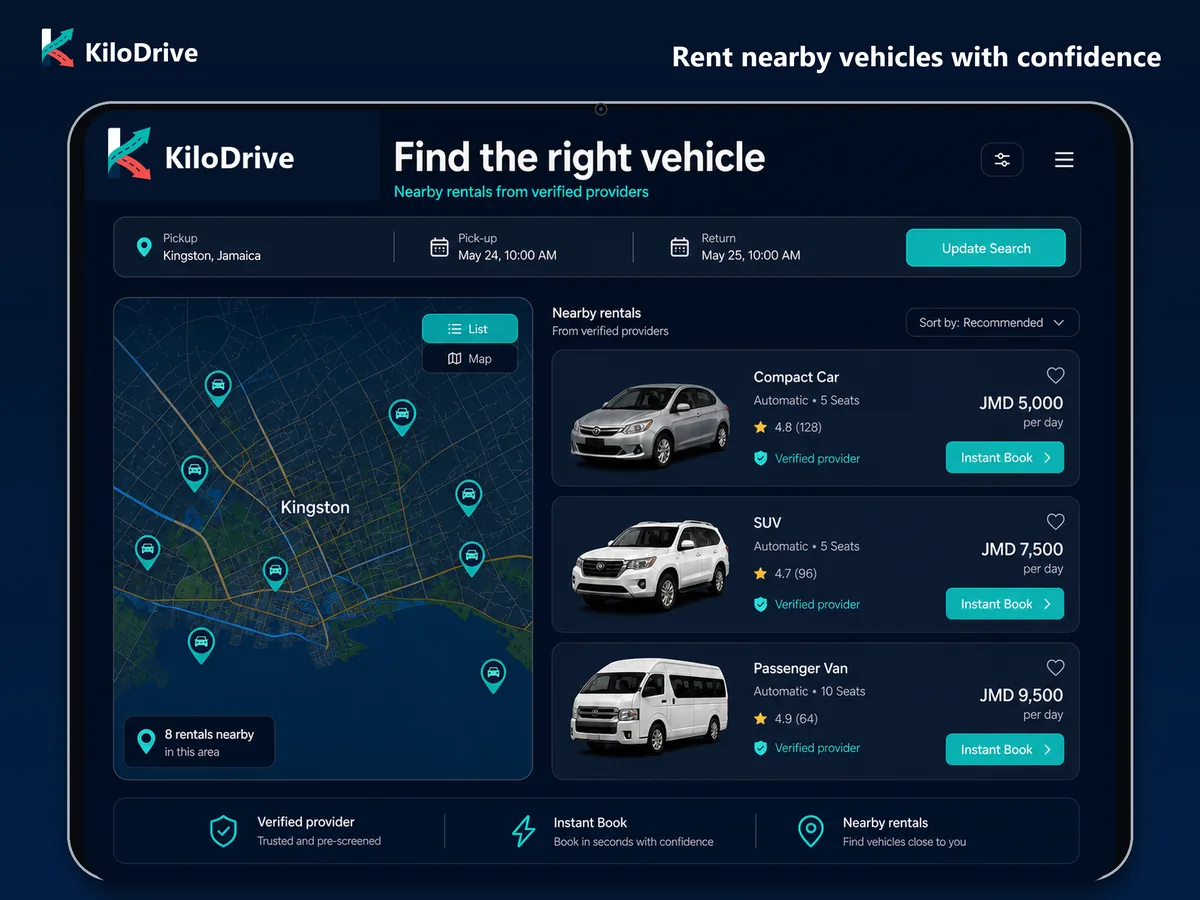
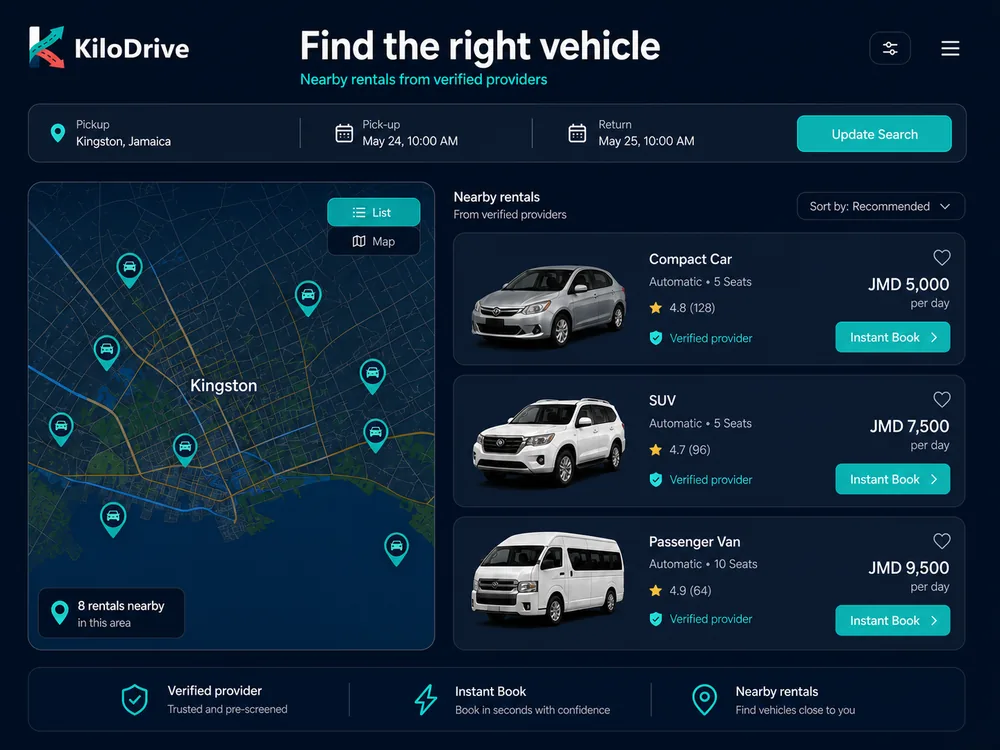
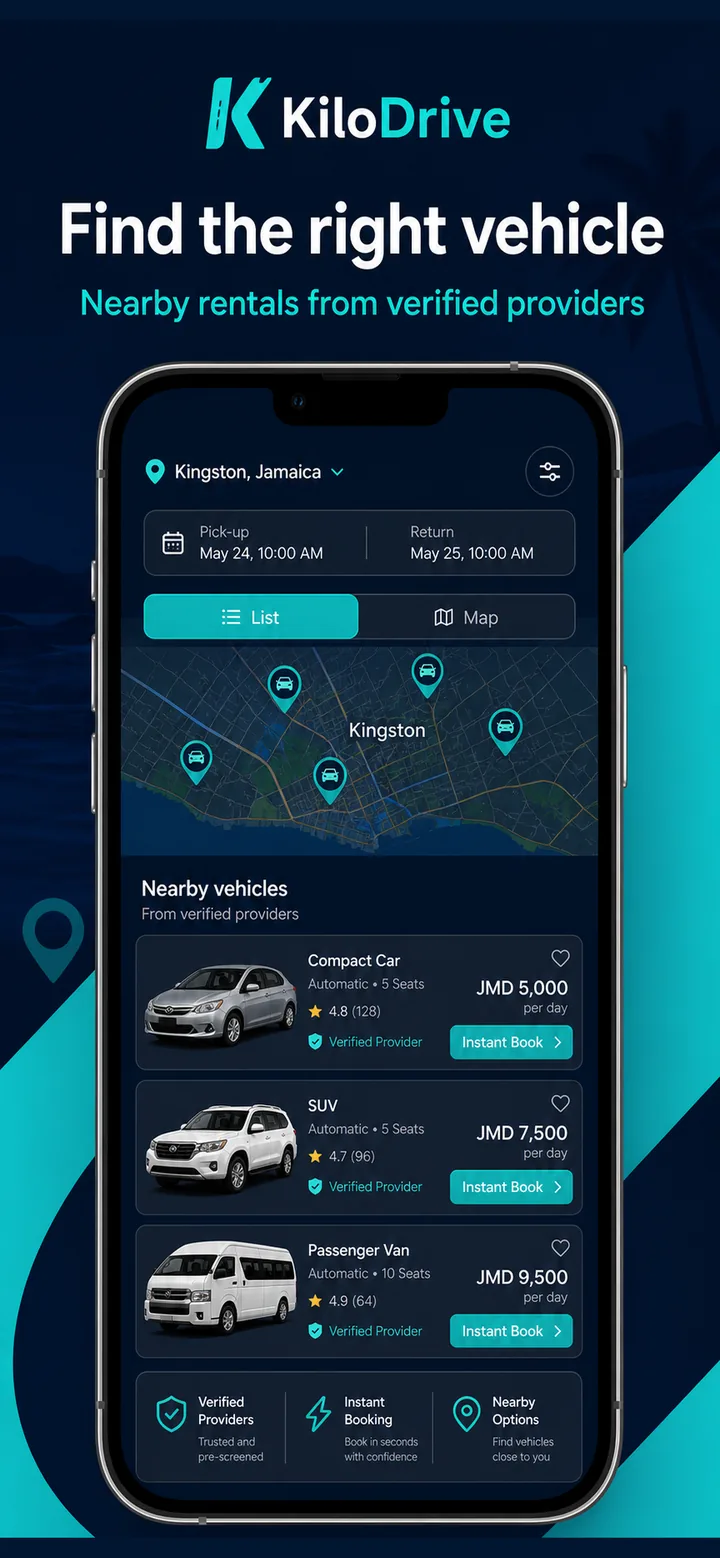
Four views of a better-documented rental
Inventory, booking modes, payments, deposits, protection, delivery, and provider tools vary by country and listing.
Search real availability
Use location and dates to explore available vehicles, then narrow the result with the details and options published for each listing.
Read the listing terms
Review vehicle information, price components, mileage and fuel rules, deposit or authorization details, pickup choices, and booking mode before proceeding.
Document both handovers
Agreements, acceptance, inspection photos, odometer and fuel readings, return condition, and claim evidence give the booking a usable record.
Operate a local fleet
Providers can manage listings, calendars, maintenance blocks, team permissions, bookings, inspections, claims, settlement, and available reporting tools.
A marketplace with an operational record
See the choice, then keep the booking details attached
Discovery is only the first step. The product carries the selected listing into a controlled booking and handover process.
For renters
Know what changes at each booking stage
A rental can move through quote, authorization, provider approval or instant confirmation, check-in, active use, check-out, and settlement or dispute. KiloDrive keeps status, policy, evidence, and payment references at the transition where they matter.
The live confirmation is authoritative. Review it before accepting, and use the booking record for an extension, return question, damage concern, or payment issue.
Search and compare
Set the location and dates, then inspect eligible vehicles and provider terms.
Review the quote
Check price components, mileage, fuel, deposit, protection, and handover options.
Meet confirmation requirements
Provide only the identity, licence, acceptance, or payment authorization requested in the protected flow.
Record check-in
Confirm vehicle condition, photos, odometer, fuel, agreement, and handover details.
Return and reconcile
Complete check-out evidence and review settlement, adjustments, or linked support.
For rental providers
Give each team member the tools their work requires
Organization roles help separate listing, booking, inspection, claim, and settlement responsibilities. Availability calendars and maintenance blocks reduce conflicts, while the booking record keeps renter-facing terms and internal evidence aligned.
- Rental-provider membershipsReview live inventory limits, team tools, plan duration, and renewal terms.
- Marketplace safetyUnderstand verification, private documents, communication, and issue reporting.
- Fleet ROI calculatorModel utilization, revenue, financing, maintenance, and operating-cost assumptions before making a fleet decision.
- Fleet onboardingContact KiloDrive about provider setup or use a linked booking for operational support.
Rental questions
What renters and providers should confirm
Is every rental confirmed immediately?
No. A listing can use instant booking or require provider approval, depending on the configured mode and your eligibility. The booking status shows whether the request is quoted, awaiting action, confirmed, active, completed, cancelled, or in another supported state.
What should I review in the quote?
Review the base price and any displayed fees, taxes, deposit or authorization, mileage allowance, extra-mileage or late rules, fuel policy, protection, pickup or delivery choice, and cancellation terms. The confirmation shown before acceptance controls.
Will I need identity, licence, or payment checks?
Those requirements depend on the listing, provider, country, and payment flow. Supply requested evidence only through the protected KiloDrive process and keep private documents out of ordinary chat or email.
Can a vehicle be delivered to me?
Pickup and delivery options are listing-specific. Review the handover location, timing, any disclosed charge, and who is responsible for each check-in step before confirming.
How is vehicle condition recorded?
Supported bookings can use pre- and post-rental photos, odometer and fuel readings, agreement acceptance, return notes, and claim evidence. Both sides should review the record at handover and report a mismatch promptly.
How can a rental company manage multiple people or vehicles?
Where provider tools are enabled, an organization can assign role-based team access, maintain vehicle listings and calendars, block maintenance periods, and coordinate bookings, inspections, claims, settlement, and reports. The active membership and country configuration determine available limits.
Find or provide a vehicle
Keep the booking terms and handover evidence in view.
Explore the rental experience available in KiloDrive or talk with the team about fleet onboarding.